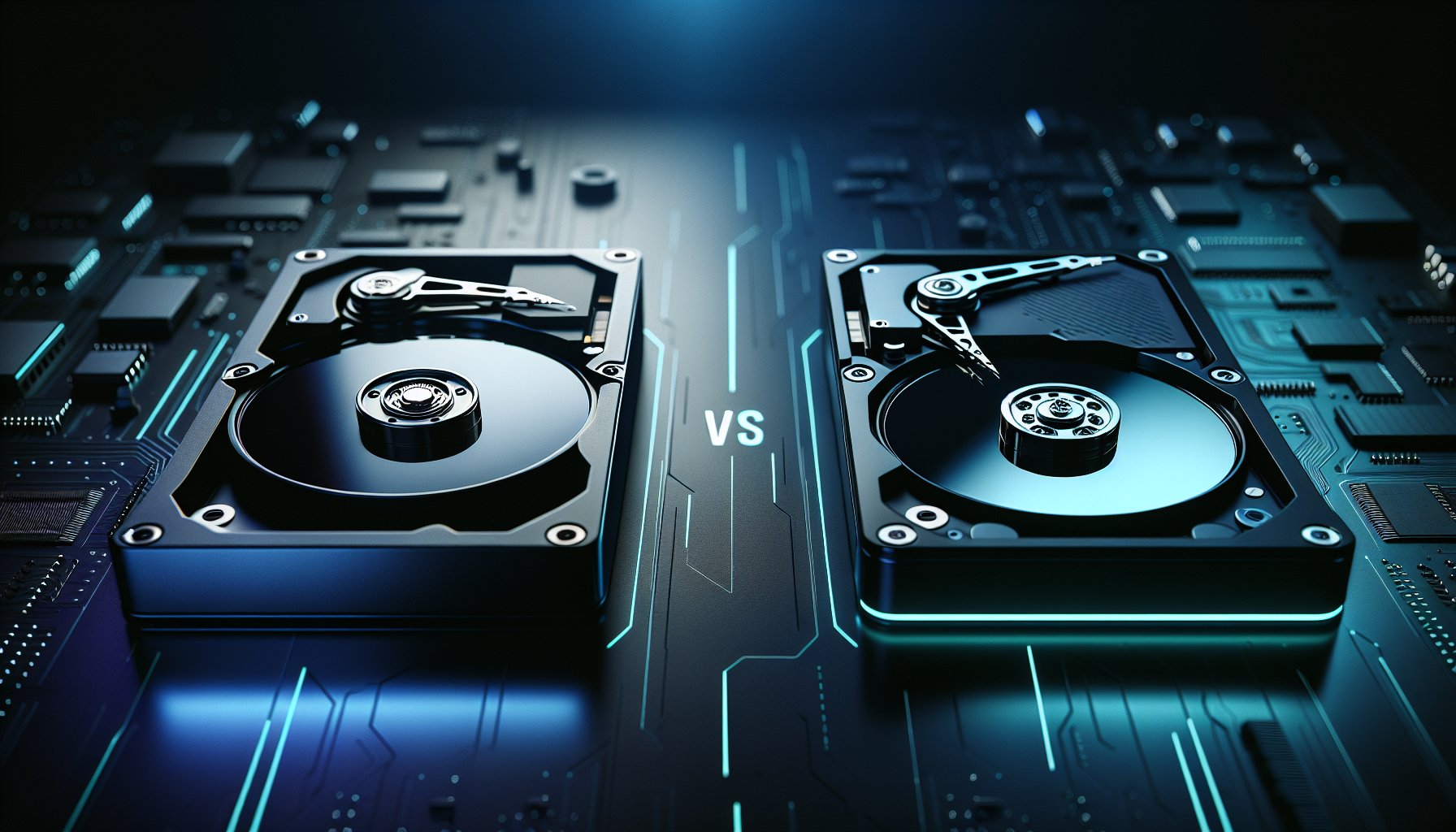
DBAN and KillDisk are two of the most commonly recommended drive wiping tools, but they occupy very different positions in the market. DBAN is free, boot-and-nuke simple, and has not been updated since 2015. KillDisk is a tiered commercial product with active development, SSD support in its top tier, and certificate generation. Choosing between them comes down to what you are wiping, whether you need documentation, and how much that is worth to you.
Key Takeaways:
- DBAN is free and still effective for wiping traditional HDDs, but it cannot erase SSDs, boot on UEFI-only systems, or generate certificates
- KillDisk Free matches DBAN's basic functionality; the paid editions ($64.95/$119.95) add 24+ erasure standards, certificates, and SSD support
- Neither tool's free tier can properly erase an SSD — you need KillDisk Ultimate ($119.95) for firmware-level SSD Secure Erase
- For compliance-driven environments needing tamper-proof certificates, neither DBAN nor KillDisk is ideal — consider BitRaser instead
- One overwrite pass is sufficient for modern HDDs per NIST 800-88 Rev. 2, so both tools can achieve adequate erasure on spinning drives
DBAN vs KillDisk: Side-by-Side Comparison
| Feature | DBAN | KillDisk Free | KillDisk Pro ($64.95) | KillDisk Ultimate ($119.95) |
|---|---|---|---|---|
| Price | Free | Free | $64.95 (perpetual) | $119.95 (perpetual) |
| Last Updated | November 2015 | Actively maintained | Actively maintained | Actively maintained |
| HDD Overwrite | Yes | Yes | Yes | Yes |
| SSD Secure Erase | No | No | No | Yes (ATA) |
| NVMe Support | No | No | No | Limited |
| Erasure Standards | 6 methods | 1 (One Pass Zeros) | 24+ standards | 24+ standards |
| Certificate of Erasure | No | No | Yes (PDF) | Yes (PDF) |
| Bootable USB/CD | Yes (BIOS only) | No | Yes (WinPE) | Yes (WinPE + Linux) |
| UEFI Boot Support | No | N/A | Yes | Yes |
| Batch Wiping | Yes (basic) | No | Yes | Yes |
| Desktop Application | No (bootable only) | Windows | Windows, macOS | Windows, macOS, Linux |
| Partition-Level Wipe | No | Yes | Yes | Yes |
| Verification Pass | Yes | Basic | Full | Full |
| Drive Health (SMART) | No | No | Yes | Yes |
| Technical Support | None | Community | Email support | Email + priority support |
| Open Source | Freeware | Freeware | Proprietary | Proprietary |
The table tells a clear story: DBAN competes with KillDisk Free on basic HDD wiping, but it has no answer for the paid editions. Once you step up to KillDisk Professional, you are in a different class of tool entirely.
DBAN: What It Does Well
DBAN — Darik's Boot and Nuke — has been the default free HDD wiping tool since the early 2000s. You download a 17 MB ISO, write it to a USB drive, boot from it, and every connected hard drive gets overwritten. The workflow is boot, select, wipe. That simplicity is its greatest strength.
DBAN supports six erasure methods: Quick Erase (zero-fill), RCMP TSSIT OPS-II (8-pass), DoD 5220.22-M Short (3-pass), DoD 5220.22-M ECE (7-pass), Gutmann (35-pass), and PRNG Stream. For modern HDDs, even the single-pass Quick Erase is sufficient per NIST 800-88 guidance — multi-pass methods are legacy holdovers that waste time without improving security on current drives. See our breakdown of how many passes are actually needed.
DBAN also handles batch wiping. In interactive mode, you can select multiple connected drives and wipe them in parallel. For someone decommissioning a stack of old desktop HDDs, this gets the job done without spending a dollar.
The tool loads entirely into RAM from the USB drive, so the boot media can be removed after loading. Every selected drive is available for wiping, including the system drive. A verification pass after each wipe confirms the overwrite completed successfully.
For the full breakdown, read our DBAN review.
DBAN: Where It Falls Short
DBAN's limitations have grown more significant every year since its last update in November 2015.
No SSD support. DBAN performs sector-by-sector overwriting through logical block addresses. On an HDD, logical addresses map predictably to physical locations on the platters. On an SSD, they do not. The flash translation layer dynamically remaps logical addresses to physical NAND cells, wear leveling constantly shuffles data between cells, and over-provisioned space (typically 7-28% of total capacity) is completely invisible to any software operating above the firmware level. When DBAN "overwrites" an SSD, data can persist in remapped cells, retired blocks, and over-provisioned areas. This is not theoretical — it is a well-documented limitation of software-level overwriting on flash storage.
No UEFI boot. DBAN was built for legacy BIOS systems. Many motherboards shipped after 2020 use UEFI exclusively, and an increasing number have removed Compatibility Support Module (CSM) entirely. If your system does not support legacy BIOS boot, DBAN will not start.
No certificates. DBAN displays a pass/fail status on screen when wiping completes, but generates no exportable report or document. If you need proof of erasure for any reason — internal policy, client requirement, regulatory compliance — DBAN cannot provide it.
No selective wiping. DBAN operates on entire physical drives only. You cannot wipe a single partition while preserving others, and you cannot target individual files.
Abandoned development. Ten years without updates means no security patches, no new hardware support, no bug fixes, and no adaptation to NVMe or modern storage controllers. The 2015-era Linux kernel may not detect newer hardware at all.
KillDisk: What It Does Well
KillDisk is developed by LSoft Technologies, a Canadian company that has been building disk utilities since 1998. The product has evolved from a basic wipe tool into a multi-platform erasure suite available in three tiers.
Extensive standards support. The Professional and Ultimate editions support over 24 erasure methods including NIST 800-88 Clear, DoD 5220.22-M (both 3-pass and 7-pass variants, though the DoD itself no longer references this standard), HMG IS5, Gutmann, RCMP TSSIT OPS-II, VSITR, and many others. This breadth covers essentially every standard an auditor might request.
SSD Secure Erase (Ultimate). The Ultimate edition at $119.95 can send ATA Secure Erase commands to SATA SSDs, instructing the drive's firmware to erase all NAND cells including wear-leveled and over-provisioned areas. This is the correct approach to SSD sanitization per NIST 800-88 Purge guidelines. NVMe Sanitize support is present but inconsistent across drive models.
PDF certificates. Professional and Ultimate editions generate certificates documenting the drive serial number, model, capacity, erasure method, timestamps, and verification results. These satisfy many internal documentation requirements and basic audit needs.
Cross-platform and bootable. KillDisk runs as a desktop application on Windows, macOS (paid editions), and Linux (Ultimate). It also creates bootable USB media — WinPE in the Professional edition, WinPE plus Linux in Ultimate. The bootable environments support both UEFI and legacy BIOS boot.
Active development. KillDisk receives regular updates with new hardware support, bug fixes, and feature additions. The current version (KillDisk 15 as of February 2026) reflects over two decades of continuous development.
Perpetual licensing. You pay once — $64.95 for Professional, $119.95 for Ultimate — and wipe unlimited drives forever. No per-drive fees, no subscriptions. For anyone who wipes more than a handful of drives, this pricing model saves significant money over time.
For the complete analysis, see our KillDisk review.
KillDisk: Where It Falls Short
SSD support locked behind the top tier. The feature most users need — firmware-level SSD erasure — requires the $119.95 Ultimate edition. The free and Professional editions can only overwrite SSDs through logical addresses, which has the same fundamental limitations as DBAN on flash storage.
Certificates are basic PDFs. KillDisk's erasure certificates are standard PDF files. They are not digitally signed, not tamper-proof, and not stored in a centralized cloud repository. An auditor with strict chain-of-custody requirements may not accept them. For comparison, BitRaser generates digitally signed certificates automatically uploaded to a secure cloud console.
No centralized management. There is no web dashboard or cloud console for managing multiple operators, tracking organization-wide erasure activity, or generating aggregate compliance reports. Each KillDisk installation operates independently.
NVMe support is inconsistent. While the Ultimate edition can handle NVMe drives through overwrite methods, its NVMe Sanitize command support varies by drive model and controller. If NVMe SSDs make up a significant portion of your drive inventory, test your specific models before committing.
Bottom Line: For personal HDD wiping on a tight budget, DBAN and KillDisk Free are functionally equivalent — both write zeros to every sector and that is all you need. The moment you require SSD support, certificates, or a tool that runs on modern hardware without workarounds, KillDisk's paid editions pull ahead decisively. At $64.95 for Professional or $119.95 for Ultimate, the one-time cost is modest relative to the feature gap.
Head-to-Head: Key Decision Factors
Pricing and Value
DBAN costs nothing. KillDisk Free also costs nothing. On HDD-only basic wiping, these two are a wash.
KillDisk Professional at $64.95 unlocks 24+ standards, PDF certificates, macOS support, and WinPE bootable media. KillDisk Ultimate at $119.95 adds SSD Secure Erase, Linux support, and Linux bootable media. Both are perpetual licenses with no per-drive fees — you pay once and wipe as many drives as you want.
The value calculation is straightforward: if you wipe HDDs once or twice and never need certificates, DBAN saves you $65-$120. If you wipe drives regularly or need any feature beyond basic zero-fill overwriting, KillDisk pays for itself quickly. For context on how these tools compare to the broader market, see our guide on free vs paid data erasure software.
SSD Support
This is the single most consequential difference. DBAN cannot wipe SSDs at all — the overwrite data does not reach all physical NAND cells. KillDisk Free and Professional have the same limitation. Only KillDisk Ultimate supports ATA Secure Erase, which is a firmware-level command that the SSD controller executes to erase all cells including those hidden from software.
If you are wiping any SSD — and in 2026, most computers ship with SSDs — you need either KillDisk Ultimate or a different tool entirely. There is no free workaround in either DBAN or KillDisk.
Certificates and Compliance
DBAN generates no certificates or reports. KillDisk Professional and Ultimate generate PDF certificates with drive identification, method, timestamps, and verification results.
For personal use, certificates are unnecessary. For businesses, the question is what level of documentation your situation demands. KillDisk's PDF certificates are adequate for internal records and many audit scenarios. For heavily regulated industries — healthcare under HIPAA, financial services under PCI DSS or SOX, organizations handling EU personal data under GDPR — the lack of tamper-proofing and digital signatures may fall short. In those cases, BitRaser Drive Eraser with its digitally signed, cloud-stored certificates is the more appropriate choice.
Ease of Use
DBAN's text-based interface shows its age. Blue screen, keyboard navigation, no mouse support. It works, but it can intimidate users who are not comfortable with command-line-style environments. The workflow is simple once you know the keystrokes — arrow keys to select drives, M to change method, F10 to start — but nothing about the interface guides you through those steps.
KillDisk's desktop application provides a graphical interface with drive listings, dropdown menus for erasure methods, and point-and-click operation. The learning curve is lower for non-technical users. The bootable environment mirrors the desktop experience closely. On the downside, the interface is utilitarian rather than modern — functional but not polished.
Platform and Hardware Compatibility
DBAN boots from USB via legacy BIOS only. It does not support UEFI, NVMe, or storage controllers that postdate its 2015 Linux kernel.
KillDisk runs on Windows (all editions), macOS (Professional and Ultimate), and Linux (Ultimate). Its bootable media supports both UEFI and legacy BIOS boot. The current kernel detects modern storage controllers, NVMe drives, and USB 3.x interfaces.
For anyone running hardware manufactured in the last five years, KillDisk has a clear compatibility advantage.
When to Choose Something Else Entirely
Neither DBAN nor KillDisk is the best choice in every scenario. Here are the situations where a third option makes more sense.
For a free, modern DBAN replacement: ShredOS with nwipe is a free, open-source, actively maintained bootable wipe tool that adds UEFI support and ATA Secure Erase for SATA SSDs. It is effectively what DBAN would be if development had continued. See our best data erasure software roundup for details.
For compliance-driven organizations: BitRaser Drive Eraser provides tamper-proof, digitally signed certificates stored in a centralized cloud console with audit trails and compliance reporting. If you face regulatory audits under HIPAA, GDPR, PCI DSS, or SOX, BitRaser's documentation capabilities are worth the per-drive cost.
For NVMe SSDs on a budget: Neither DBAN nor KillDisk handles NVMe drives reliably across all models. Check your SSD manufacturer's free utility first — Samsung Magician, Intel Memory and Storage Tool, and Western Digital SSD Dashboard all include secure erase functions. If no manufacturer tool is available, Parted Magic handles NVMe Sanitize for a few dollars per month.
For the full landscape of options, see our complete guide to wiping a hard drive.
Frequently Asked Questions
Is DBAN or KillDisk better for wiping a hard drive?
For a one-off personal HDD wipe, DBAN is perfectly adequate and completely free. For anything beyond that — regular wiping, SSD support, certificates of erasure, or a more polished interface — KillDisk is the better choice. KillDisk Professional at $64.95 gives you 24+ erasure standards and PDF certificates, while the free edition matches DBAN for basic zero-fill HDD wiping.
Can DBAN or KillDisk wipe an SSD?
DBAN cannot wipe SSDs effectively. It writes data through logical block addresses, which does not reach all physical NAND cells due to wear leveling and over-provisioning. KillDisk Ultimate ($119.95) supports ATA Secure Erase, which sends a firmware-level command to the SSD controller to erase all cells. The free and Professional editions of KillDisk can only overwrite SSDs, which has the same limitations as DBAN.
Is DBAN still safe to download in 2026?
Yes. The DBAN ISO hosted on dban.org is the same version 2.3.0 released in November 2015. It has not been tampered with and the overwrite engine works correctly on traditional HDDs. The concern with DBAN is not safety but relevance — it has not been updated in over a decade and lacks SSD support, UEFI boot, and certificate generation.
Does KillDisk have a free version?
Yes. KillDisk Free performs a single-pass zero fill on HDDs, similar to DBAN's Quick Erase. It does not include certificate generation, batch operations, SSD Secure Erase, or additional erasure standards. For basic personal HDD wiping, the free edition works. For professional use, the Professional ($64.95) or Ultimate ($119.95) editions are necessary.
Do I need a certificate of data erasure?
For personal use, no. For businesses handling customer data, employee records, financial information, or protected health information, a certificate is often required by regulations like HIPAA, GDPR, PCI DSS, and SOX. DBAN does not generate certificates. KillDisk Professional and Ultimate generate PDF certificates, though they are not tamper-proof like BitRaser certificates.
Which tool is better for a small business?
KillDisk Professional or Ultimate. The perpetual license means you pay once and wipe unlimited drives, which is far more cost-effective than per-drive alternatives. The PDF certificates give you basic documentation for internal records. If your business is in a regulated industry like healthcare or finance, consider BitRaser instead for its tamper-proof certificates and compliance reporting.
Can DBAN boot on modern UEFI systems?
DBAN does not natively support UEFI boot. Some modern motherboards can boot DBAN through their Compatibility Support Module (CSM) or legacy boot mode, but many newer systems have removed CSM entirely. KillDisk supports both UEFI and legacy BIOS boot in its paid editions, making it compatible with a wider range of hardware.
How long does each tool take to wipe a 1 TB drive?
Both tools take roughly 2 to 4 hours for a single-pass zero fill on a 1 TB HDD, since the bottleneck is drive write speed rather than software. DBAN's default method is DoD 3-pass, which takes 6-12 hours. KillDisk defaults vary by edition. KillDisk Ultimate can use SSD Secure Erase on SSDs, which completes in seconds to minutes via firmware commands.
Is there a better alternative to both DBAN and KillDisk?
It depends on your needs. ShredOS with nwipe is a free, actively maintained alternative that supports both HDDs and SATA SSDs — effectively a modern DBAN replacement. BitRaser Drive Eraser is the premium option with tamper-proof certificates, NVMe support, and centralized management for compliance-driven organizations. See our best data erasure software roundup for the full comparison.
Does one overwrite pass actually erase all data?
Yes, on modern HDDs. NIST Special Publication 800-88 Rev. 2 confirms that a single overwrite pass renders data unrecoverable on contemporary high-density hard drives. Both DBAN and KillDisk support single-pass wiping. Multi-pass methods are legacy holdovers from the era of low-density magnetic storage and provide no additional security benefit on current drives.
The Bottom Line
DBAN remains a capable free tool for one-off HDD wiping, but KillDisk outmatches it on every other front — SSD support, certificates, platform compatibility, and active development. For personal HDDs, use whichever free option you prefer. For anything involving SSDs, documentation needs, or modern hardware, KillDisk at $64.95-$119.95 is the clear winner. And if you need auditor-grade proof of erasure, skip both and go straight to BitRaser.
Last updated: February 2026. We regularly review and update our comparisons to ensure accuracy. Pricing verified as of February 2026 and is subject to change.
Sources:
- DBAN (Darik's Boot and Nuke) project page. https://dban.org/
- Active@ KillDisk product page. https://www.killdisk.com/
- Active@ KillDisk edition comparison. https://www.killdisk.com/compare.html
- NIST Special Publication 800-88 Rev. 2: Guidelines for Media Sanitization. https://csrc.nist.gov/publications/detail/sp/800-88/rev-2/final
- LSoft Technologies company information. https://www.lsoft.net/
- Blancco Technology Group (DBAN distributor). https://www.blancco.com/
- ATA/ATAPI Command Set: Security Feature Set (Secure Erase). https://www.t13.org/
- NVMe Specification: Sanitize Command. https://nvmexpress.org/specifications/