
Your SSD might already be encrypting every byte you write to it — and you may have no idea. Self-encrypting drives have been shipping in laptops and enterprise servers for over a decade, running hardware-level encryption silently in the background. When it comes time to erase data, that built-in encryption enables something remarkable: destroying a single cryptographic key to make an entire drive's contents permanently unreadable in seconds. But crypto erase is only as trustworthy as the encryption behind it, and research has shown that trust is not always deserved.
Key Takeaways:
- Self-encrypting drives (SEDs) encrypt all data automatically using a hardware encryption engine — no software setup required
- Crypto erase destroys the media encryption key, making all drive data permanently unreadable in seconds
- NIST 800-88 Rev. 2 recognizes crypto erase as a valid Purge-level method when encryption was active and correctly implemented
- Research has uncovered serious flaws in some SED implementations — including drives that stored encryption keys in plaintext
- When in doubt, combine crypto erase with an overwrite or use certified erasure software like BitRaser for verification
How Self-Encrypting Drives Work
A self-encrypting drive contains a dedicated cryptographic processor built directly into the drive controller. This hardware engine sits between the drive's interface (SATA, NVMe) and the storage media (NAND flash or magnetic platters), encrypting every write operation and decrypting every read operation in real time. There is no performance penalty because the encryption happens in dedicated silicon, not in software competing for CPU cycles.
The encryption architecture uses two keys:
Media Encryption Key (MEK): This is the key that actually encrypts and decrypts your data. The MEK is generated randomly by the drive during manufacturing and never leaves the drive controller. Every sector written to the drive is encrypted with this key using AES-128 or AES-256 (depending on the drive model).
Key Encryption Key (KEK): This key encrypts the MEK itself. The KEK is derived from your authentication credentials — a drive password, a pre-boot authentication PIN, or a management system credential. If you never set a password, the drive uses a default KEK, which means the MEK is technically "encrypted" but with a known default value.
This is a critical point: the encryption is always active, even if you never set a password. An SED rolling off the factory floor is already encrypting everything written to it. The difference between a "locked" and "unlocked" SED is whether the KEK protecting the MEK requires proper authentication or uses a default that any controller can access.
The TCG Opal Standard
The Trusted Computing Group (TCG) developed the Opal specification to standardize how self-encrypting drives behave. TCG Opal 2.0 is the current version and defines:
- How the drive generates and stores encryption keys
- How authentication credentials are managed
- How locking ranges work (the ability to encrypt different regions of the drive with different keys)
- How crypto erase is performed
- How PSID Revert resets the drive to factory state
Most enterprise SSDs and many consumer NVMe drives advertise TCG Opal 2.0 compliance. When a drive claims Opal support, it should follow these standardized behaviors — though as we will see, "should" and "does" are not always the same thing.
Other TCG specifications exist for specific use cases: Opalite is a simplified version for consumer devices, Pyrite provides locking without encryption, and Enterprise is designed for data center drives with different authentication models.
How Crypto Erase Works
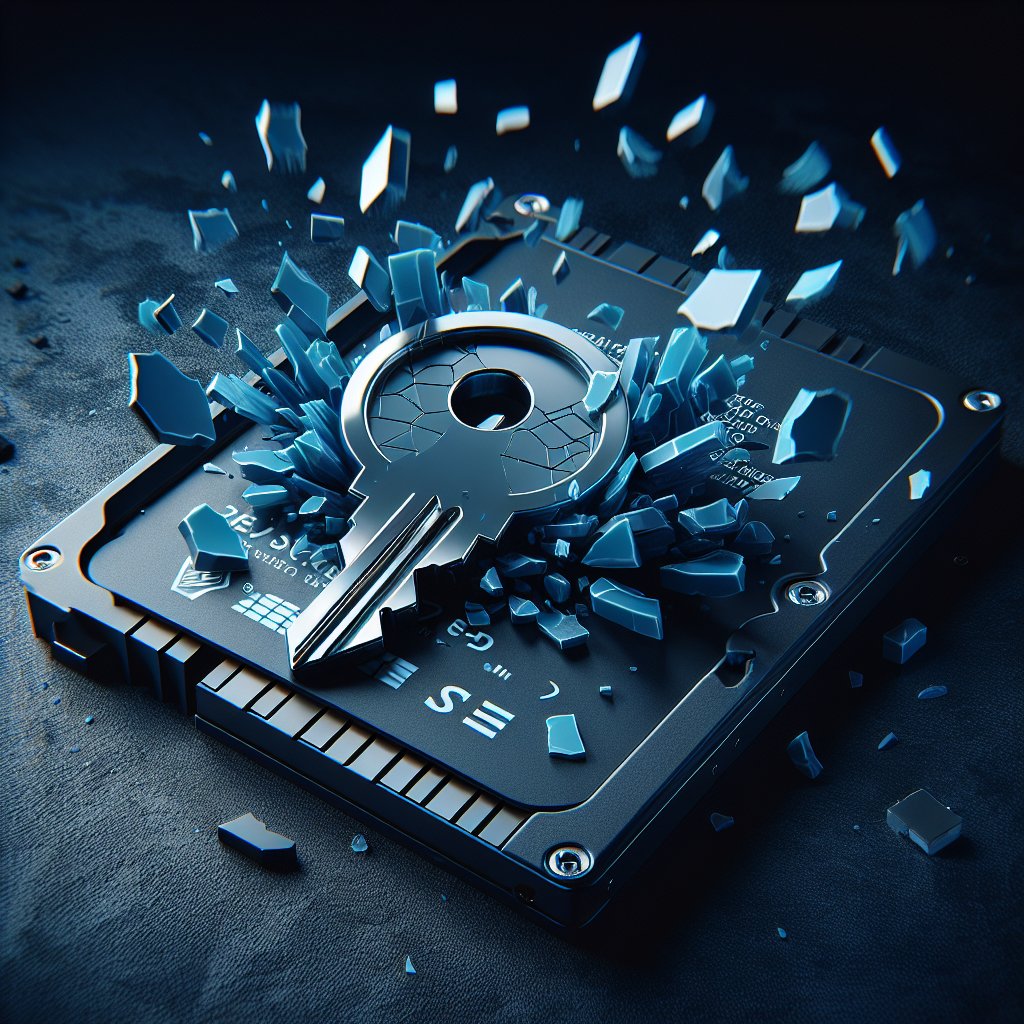
Crypto erase is conceptually simple: destroy the MEK, and all data encrypted with it becomes permanently unreadable.
When you issue a crypto erase command, the drive controller generates a new random MEK and overwrites the old one. The encrypted data still physically exists on the NAND flash cells or magnetic platters, but without the original MEK, that data is indistinguishable from random noise. No amount of forensic analysis can reverse AES-256 encryption without the key — the math makes it computationally infeasible until well beyond the heat death of the universe.
The process takes seconds because the drive only needs to destroy and regenerate a small key (typically 256 bits), not overwrite terabytes of actual data. For a 4TB drive that would take hours to overwrite, crypto erase finishes in under five seconds.
You can trigger crypto erase through several mechanisms:
- TCG Opal Revert command — Resets the drive through the Opal management interface, destroying all keys
- NVMe Sanitize (Crypto Erase) — The NVMe specification includes crypto erase as one of the Sanitize command options
- ATA Enhanced Secure Erase — On SATA SEDs, this command often performs a crypto erase internally
- PSID Revert — Uses the Physical Security ID printed on the drive label to force a factory reset when authentication credentials are lost
Bottom Line: When properly implemented, crypto erase is the fastest and most thorough method for sanitizing a self-encrypting drive. It addresses every byte on the drive — including over-provisioned space, wear-leveled cells, and other areas that software overwriting cannot reach — because the encryption covered them all from the start.
When Crypto Erase Is Valid: What NIST Says
NIST SP 800-88 Rev. 2 (published September 2025) formally recognizes cryptographic erase as a Purge-level sanitization technique. This is significant because Purge is the level required when media may leave organizational control — exactly the scenario you face when selling, donating, or recycling drives.
However, NIST attaches specific conditions. For crypto erase to qualify as Purge, you must confirm:
- Encryption was active for the entire life of the data. If the drive stored unencrypted data at any point before encryption was enabled, crypto erase does not sanitize that earlier data.
- The cryptographic implementation is sound. The encryption algorithm (AES-128 or AES-256), key generation, and key storage must meet FIPS 140 or equivalent standards.
- Key destruction is verified. You need confirmation that the MEK was actually destroyed, not just flagged for deletion.
- The drive's encryption implementation is trustworthy. This is where things get complicated.
For more detail on the NIST framework and how different sanitization levels apply, see our NIST 800-88 explainer.
The Trust Problem: When SED Implementations Fail
In November 2018, researchers Carlo Meijer and Bernard van Gastel from Radboud University published findings that shook confidence in self-encrypting drives. Their paper, "Self-encrypting deception: weaknesses in the encryption of solid state drives," examined multiple popular consumer SSDs from Crucial (Micron) and Samsung and found severe implementation flaws.
Among the problems they discovered:
- Some drives stored the MEK without any encryption at all. The key was sitting in plaintext on the drive's firmware area, meaning crypto erase might destroy the accessible copy while the key could potentially be recovered from firmware memory.
- Some drives did not actually tie the MEK to the user password. The authentication appeared to work, but the drive would decrypt data regardless of whether the correct password was provided.
- Some drives used a single, static MEK across factory resets. A crypto erase would generate what appeared to be a new key, but the drive continued using the same underlying encryption key.
The affected models included Crucial MX100, MX200, and MX300 drives, as well as certain Samsung 840 EVO and 850 EVO models. Samsung and Crucial released firmware updates to address the vulnerabilities, but drives that were never updated remain affected.
This research does not mean all SEDs are broken. Enterprise drives built to TCG Enterprise or FIPS 140-2/140-3 standards undergo rigorous validation testing. Many NVMe drives from Samsung, SK Hynix, and others have implemented encryption correctly. But the Radboud findings proved that you cannot blindly trust a drive's SED marketing claims without verifying the specific implementation.
How to Perform Crypto Erase
The method depends on your drive type and what tools you have available.
NVMe Drives (Linux)
Using nvme-cli, you can check if your drive supports crypto erase and then execute it:
# Check sanitize capabilities
nvme id-ctrl /dev/nvme0n1 -H | grep -i "Crypto Erase"

# Execute crypto erase sanitize
nvme sanitize /dev/nvme0n1 --sanact=4
The --sanact=4 flag specifies crypto erase as the sanitize action. For a full walkthrough of NVMe erasure commands, see our NVMe secure erase guide.
SATA SEDs (Using sedutil)
The sedutil open-source tool manages TCG Opal drives:
# Scan for Opal-capable drives
sedutil-cli --scan

# Set up an initial SID password (if not already set)
sedutil-cli --initialSetup yourPassword /dev/sda

# Perform PSID Revert (crypto erase + factory reset)
sedutil-cli --PSIDrevert PSID_FROM_LABEL /dev/sda
Manufacturer Tools
Most drive manufacturers provide their own utilities that support crypto erase:
- Samsung Magician — Secure Erase function for Samsung SEDs
- Intel Memory and Storage Tool — Supports crypto erase on Intel/Solidigm drives
- Micron Storage Executive — Crypto erase for Crucial/Micron SEDs
- Kingston SSD Manager — Secure erase including crypto erase for Kingston drives
Enterprise Erasure Software
For organizations needing verified erasure with audit trails, tools like BitRaser can perform crypto erase on supported drives while generating tamper-proof certificates of erasure — critical for compliance requirements under HIPAA, GDPR, and other regulations.
PSID Revert: The Emergency Reset
Every TCG Opal drive ships with a Physical Security ID (PSID) printed on a label on the drive's physical housing. The PSID is typically a 32-character alphanumeric string that serves as a last-resort authentication credential.
PSID Revert exists for a specific scenario: you have a locked SED and no longer have the password or SID credentials to authenticate. Maybe an employee left the company, the IT department lost the management key, or the pre-boot authentication system was corrupted.
When you issue a PSID Revert command, the drive:
- Destroys all existing encryption keys (MEK and KEK)
- Generates new encryption keys
- Resets all authentication credentials to factory defaults
- Effectively crypto-erases all data on the drive
The catch is that you need physical access to the drive to read the PSID label. This is intentional — it prevents remote attackers from wiping drives they have compromised. You must have the drive in your hands.
When to Trust Crypto Erase vs. When to Add Extra Steps
Crypto erase is a sound method when the following conditions are all true:
- The drive is from a reputable manufacturer with no known encryption vulnerabilities for your specific model and firmware version
- The drive has been encrypted since it was first put into service (no period of unencrypted use)
- You can verify the crypto erase completed successfully (the drive reports sanitize completion)
- Your compliance framework accepts crypto erase (most do, but check your specific requirements)
You should combine crypto erase with additional methods — or skip it in favor of overwriting — when:
- The drive is an older model from the list affected by the Radboud University research and has not received firmware updates
- You cannot confirm that encryption was active from initial deployment
- Your compliance framework specifically requires overwrite-based sanitization
- The drive is an HDD with SED capability but you are uncertain about the encryption implementation
For SSDs where the encryption implementation is uncertain, a belt-and-suspenders approach works well: perform a crypto erase first, then follow up with an NVMe Sanitize Block Erase or an overwrite pass. This addresses both the encrypted data and any potential gaps in the encryption coverage. Our SSD secure erase guide covers the overwrite side of this approach.
The differences between how SSDs and HDDs handle data at the hardware level affect which sanitization strategies are appropriate for each. See our breakdown of SSD vs. HDD data erasure for the full picture.
Common Misconceptions About Self-Encrypting Drives
"My drive has a password, so it must be a self-encrypting drive." Not necessarily. ATA/SATA password locking is a different mechanism from SED encryption. ATA passwords lock the drive interface without encrypting the data — someone with a compatible controller or firmware tool can bypass the lock entirely.
"I never set up encryption, so my SED is not encrypted." Wrong. SEDs encrypt from the factory. If your drive is an SED, it has been encrypting data since the first byte was written, even without any setup on your part. The difference is whether the encryption keys are protected by authentication.
"Crypto erase is just a quick format with extra marketing." Absolutely not. A quick format removes the file system index. Crypto erase destroys the cryptographic key that protects the actual data. One leaves data fully recoverable; the other makes recovery computationally impossible.
"I should always choose crypto erase over overwriting." Not always. Crypto erase is only as strong as the encryption implementation. If you cannot verify the drive's encryption is properly implemented, a verified overwrite or NVMe Sanitize Block Erase may be more trustworthy.
Frequently Asked Questions
What is a self-encrypting drive (SED)?
A self-encrypting drive is a storage device with a dedicated hardware encryption engine built into the drive controller. It encrypts all data written to the drive and decrypts all data read from it automatically, without any software or user involvement. The encryption is always active from the moment the drive is manufactured.
How does crypto erase work?
Crypto erase destroys the media encryption key (MEK) stored inside the drive controller. Since every byte on the drive was encrypted with that key, destroying it renders all stored data permanently unreadable — even though the encrypted data still physically exists on the media. The process takes seconds rather than the hours required for overwriting.
Is crypto erase recognized by NIST 800-88?
Yes. NIST SP 800-88 Rev. 2 recognizes cryptographic erase as a valid Purge-level sanitization method when specific conditions are met: the encryption must have been active for the entire life of the data, the cryptographic implementation must be sound, and the key destruction must be verified.
What is TCG Opal?
TCG Opal is a specification developed by the Trusted Computing Group that defines a standard interface for managing self-encrypting drives. It provides commands for setting authentication credentials, managing encryption ranges, locking and unlocking the drive, and performing crypto erase. Most modern enterprise and many consumer SSDs support TCG Opal 2.0.
What is PSID Revert and when do I need it?
PSID Revert is a factory reset operation that uses the Physical Security ID printed on the drive label. It destroys all encryption keys and resets the drive to factory defaults, erasing all data in the process. You need it when you have lost the drive password or SID and cannot authenticate to issue a normal crypto erase command.
Can I trust crypto erase on any self-encrypting drive?
Not blindly. Research from Radboud University in 2018 found that several popular SSD models had flawed encryption implementations — including drives that stored the MEK in plaintext or used no encryption at all despite advertising SED support. Always verify the specific drive model and firmware version against known vulnerability disclosures before relying solely on crypto erase.
What is the difference between crypto erase and ATA Secure Erase?
ATA Secure Erase instructs the drive firmware to erase all stored data, typically by overwriting or resetting flash cells. Crypto erase specifically destroys the encryption key, making data unreadable without touching the actual media. On a self-encrypting drive, the ATA Enhanced Secure Erase command often performs a crypto erase internally, but the two concepts are distinct.
Do all SSDs support crypto erase?
No. Only drives with hardware encryption engines — self-encrypting drives — support crypto erase. Many consumer SATA SSDs lack SED capabilities entirely. NVMe drives are more likely to support crypto erase through the NVMe Sanitize command with the crypto erase option, but you need to check the drive specifications to confirm support.
The Bottom Line
Self-encrypting drives and crypto erase offer the fastest path to data sanitization when the implementation is trustworthy — seconds instead of hours, with coverage that reaches every cell on the drive. Verify your specific drive model against known vulnerabilities, confirm encryption was active from first use, and when compliance or uncertainty demands extra assurance, pair crypto erase with a secondary method or use certified tools like BitRaser. For recommended tools across all sanitization scenarios, see our best data erasure software roundup.
Last updated: February 2026. We regularly review and update our guides to ensure accuracy.
Sources:
- NIST SP 800-88 Rev. 2: Guidelines for Media Sanitization. https://csrc.nist.gov/publications/detail/sp/800-88/rev-2/final
- Meijer, C. and van Gastel, B. "Self-encrypting deception: weaknesses in the encryption of solid state drives." IEEE Security & Privacy, 2019. https://www.ieee-security.org/TC/SP2019/papers/310.pdf
- Trusted Computing Group. TCG Storage Opal SSC Specification v2.01. https://trustedcomputinggroup.org/resource/storage-work-group-storage-security-subsystem-class-opal/
- NVMe Specification. NVM Express Base Specification, Revision 2.1. https://nvmexpress.org/specifications/
- Samsung SSD Security Bulletin. https://semiconductor.samsung.com/us/consumer-storage/support/